 Game Sub Cost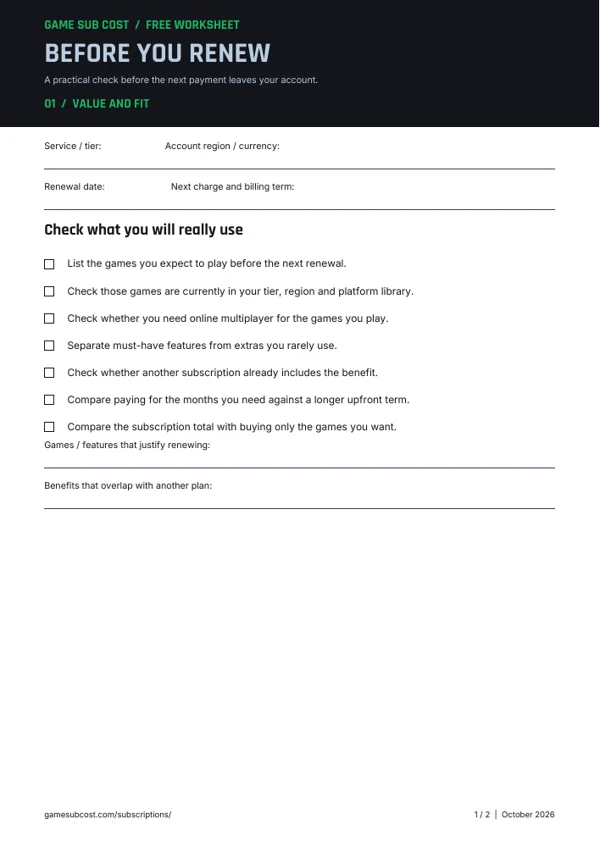
FREE PDF · 2 PAGES
Before You Renew
Check your games, billing term and sharing needs before your next renewal.
Stop future Game Pass payments, confirm your expiry date and check any refund option before you finish.
Follow the steps for the platform or store that manages your subscription.
Check the refund conditions for the provider or store that took your payment.
Review what remains available and which membership benefits end when you cancel.
Use these free printable worksheets to plan spending and make your next subscription decision.
FREE PDF · 2 PAGES
Check your games, billing term and sharing needs before your next renewal.
Switching off renewal leaves the remaining paid time available. The other possibility, if offered and eligible, is to end the subscription immediately with a refund. Read the outcome displayed by the account page before accepting it.
Open Microsoft Services & subscriptions to manage the membership. These steps apply to the account that owns it, not just any account using the same console.
Use the Xbox cancellation and refund instructions, including the cancellation flow they describe. The page explains which initial or recurring charges may qualify and which countries have additional rules. The US summary above is not a promise about every transaction or country.
Keep the charge date and receipt available. Turning renewal off is not itself confirmation that the previous charge will be returned.
Compare your local Game Pass tier prices with what you actually use before the next renewal. If you compare a monthly and annual product elsewhere, use the monthly-versus-annual calculator with real quotes for both options. Do not invent an annual Game Pass plan by multiplying a monthly charge by twelve.
Check the purchasing account and billing provider first. An expired payment method, overdue amount or third-party purchase can require a different next step. Follow the official account-management guidance and the Xbox support article linked below rather than assuming cancellation succeeded.
Check the provider’s current instructions and policies. These sources were reviewed for this guide; account and country rules can differ.
Find answers to common questions about the costs, features and assumptions covered on this page.
Microsoft says that when this appears instead of the management option, automatic renewal is already off. Your subscription should end on the displayed expiry date. Check that date rather than turning renewal back on.
Yes. Use a mobile browser to open the Microsoft account’s subscription page, sign in with the purchasing account and follow its management flow.
No. Downloading a game through the library does not provide permanent ownership. Xbox says library access depends on a valid membership and the title remaining available. A separate purchase is a different license.
No. Xbox distinguishes switching off renewal from immediate cancellation with an eligible refund. Use the current cancellation and refund flow for your purchase and account country.
Check the Microsoft account that made the purchase and the seller shown on the receipt. If another store or provider bills you, follow its management instructions. Contact official support if you cannot identify the charge.